The problem
An AI chat can write code or explain what to do, but it cannot enter Blender, Godot, Unity, or Roblox Studio on its own. You end up copying instructions, switching windows, and configuring each tool manually.

CONNECT YOUR AI TO YOUR CREATIVE TOOLS
Connect your AI to Blender, Godot, Unity, and Roblox Studio. MCPGo configures the bridge, checks the connection, and helps you troubleshoot everything from one application.
Try every feature free for 7 days. Activate your trial from MCPGo after installation.
WHY MCPGO
An AI chat can write code or explain what to do, but it cannot enter Blender, Godot, Unity, or Roblox Studio on its own. You end up copying instructions, switching windows, and configuring each tool manually.
MCPGo connects your AI client to your creative tools. This allows the AI to inspect the project, create content, run available actions, and check results within the same workflow.
MCPGo runs locally, and you decide which client, tool, and project to connect. Your configurations and connections remain under your control.
MCPGo does not replace your AI or your creative tools. It is the bridge that allows them to work together.
COMPATIBILITY
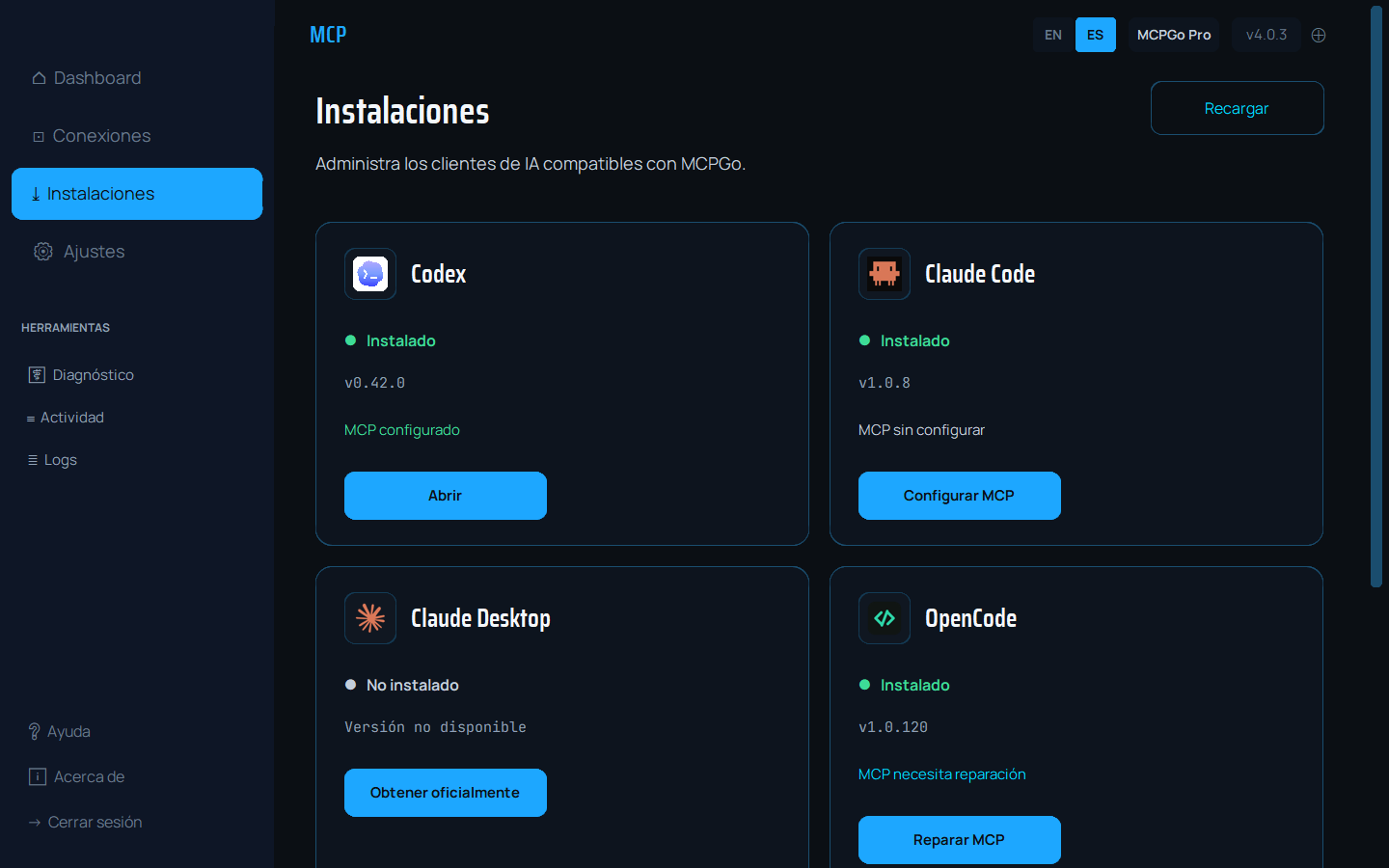
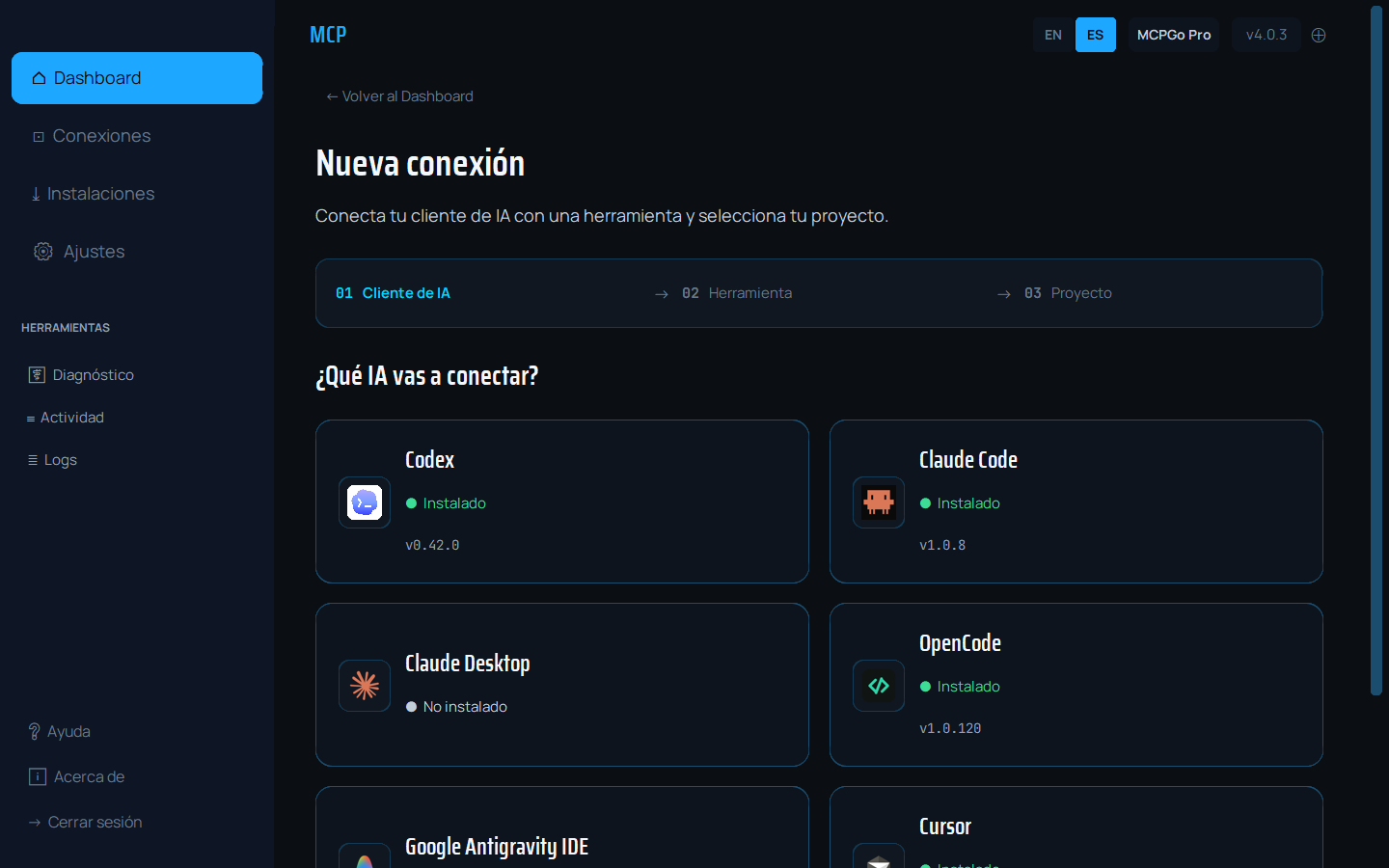
MCPGo detects compatible installations whether you use your AI from the terminal, an editor extension, a desktop application, or a manually selected path.
Finds certified Codex, Claude Code, and OpenCode command-line installations.
Recognizes the official Codex extension for VS Code and VS Code Insiders.
Checks certified desktop surfaces such as Claude Desktop, Cursor, and Antigravity.
Lets you safely choose a certified executable when automatic discovery is not enough.
Compatible with different installation methods for certified clients.
COMPATIBILITY
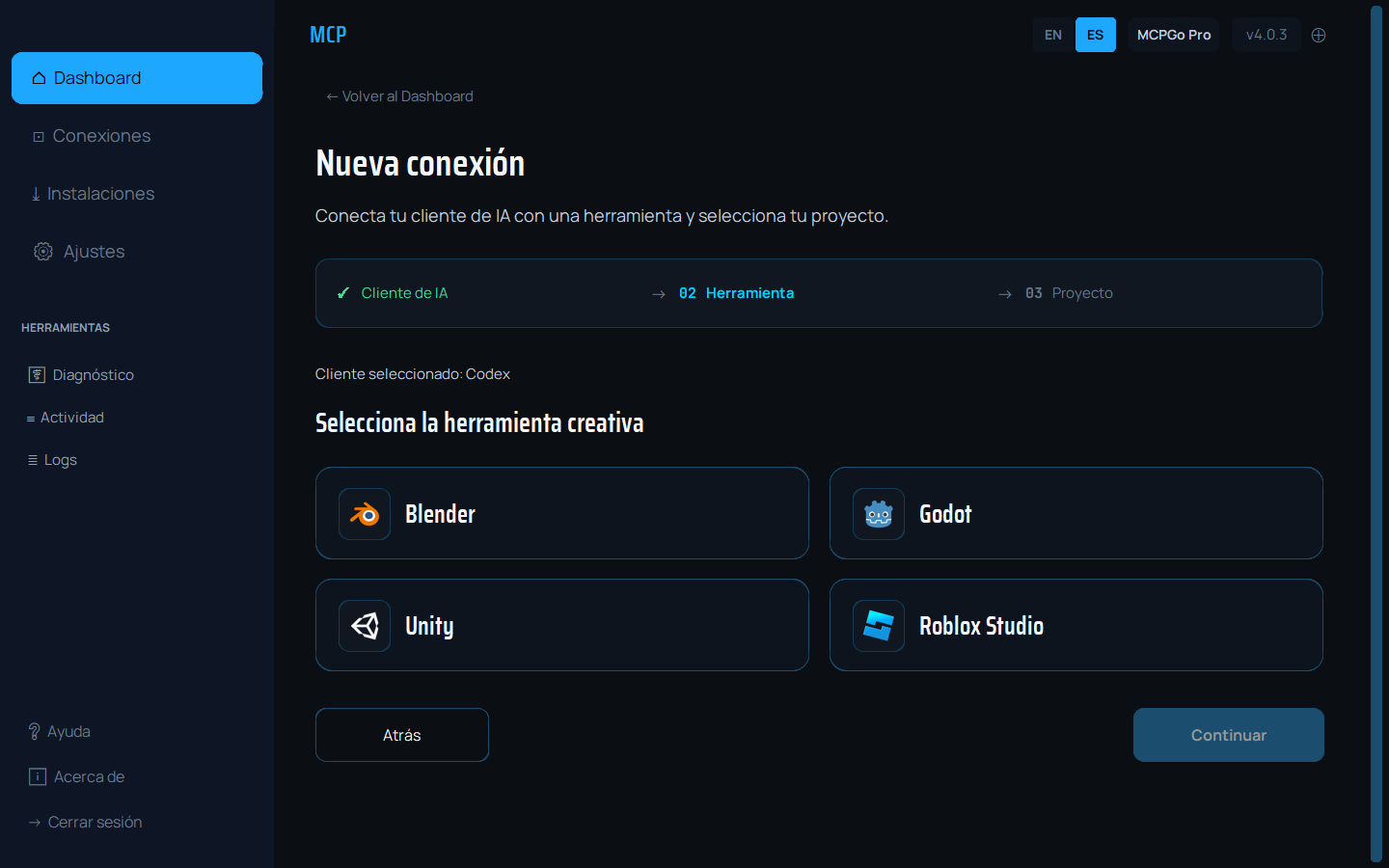
Connect your AI to Blender, Godot, Unity, and Roblox Studio from one place.
TOOLS
TOOLS
TOOLS
TOOLS
MCPGO 4.0.3
Multimodal discovery for certified CLI, editor extension, desktop, and manual installations.
Codex CLI and official extension, plus OpenCode npm and certified locations.
Safe manual selection and sanitized diagnostics with no personal paths in the view.
Spanish and English, keyboard navigation, visible focus, autoscroll, and display scaling.
Verified bundled Node 22.23.2 runtime and signed Windows/Linux packages.
STATUS ≠ DISCOVERY
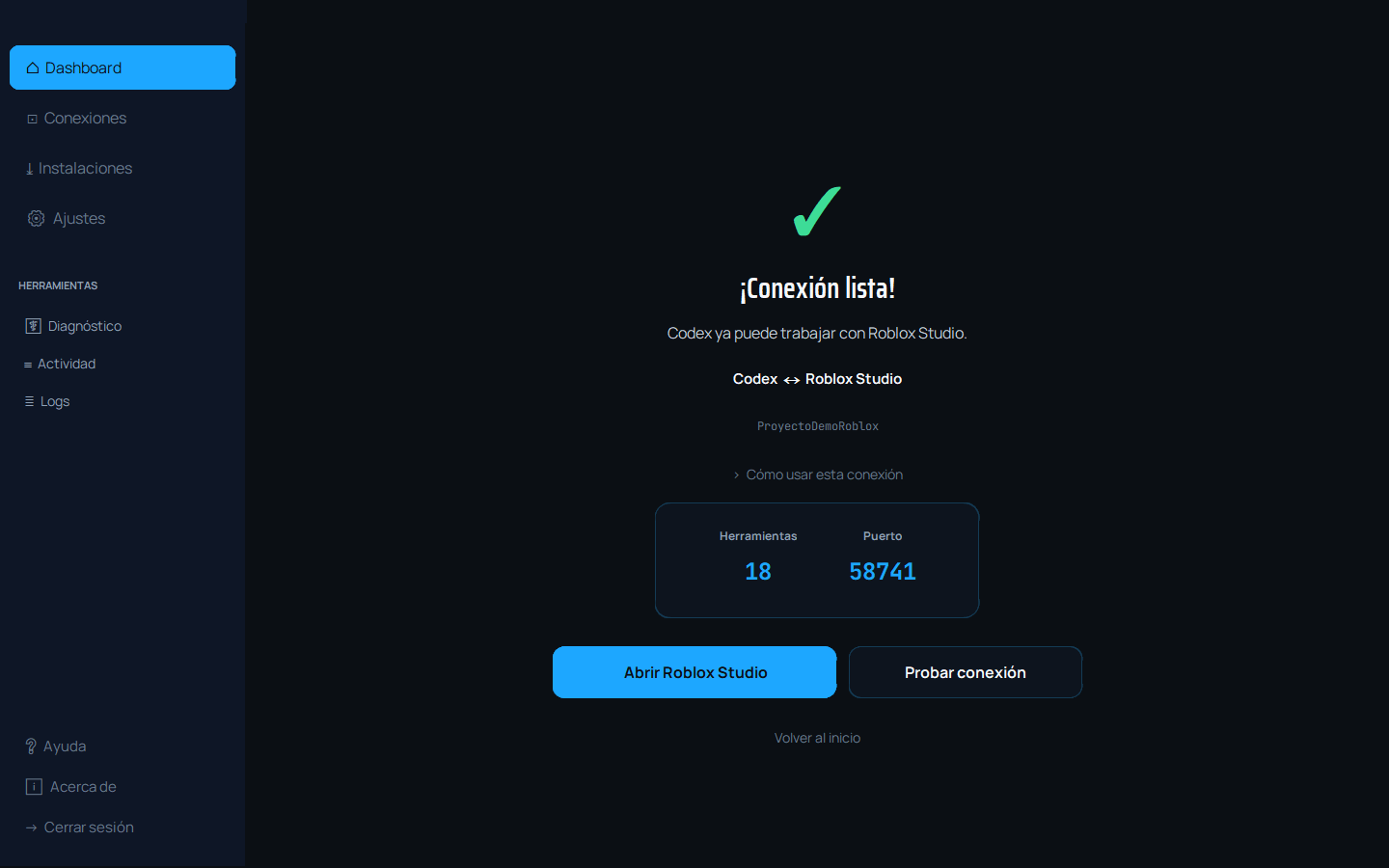
MCPGo doesn't call an application “Ready” just because it finds it. It shows what is installed, what can be configured, and which connection was actually verified.
WINDOWS · LINUX
You do not have to install every client through a CLI. MCPGo can also recognize other compatible surfaces, including certified IDE extensions and desktop applications.
Node is included in the package; you do not need to install it globally.
Node is included in the package; you do not need to install it globally.
GUIDED SETUP
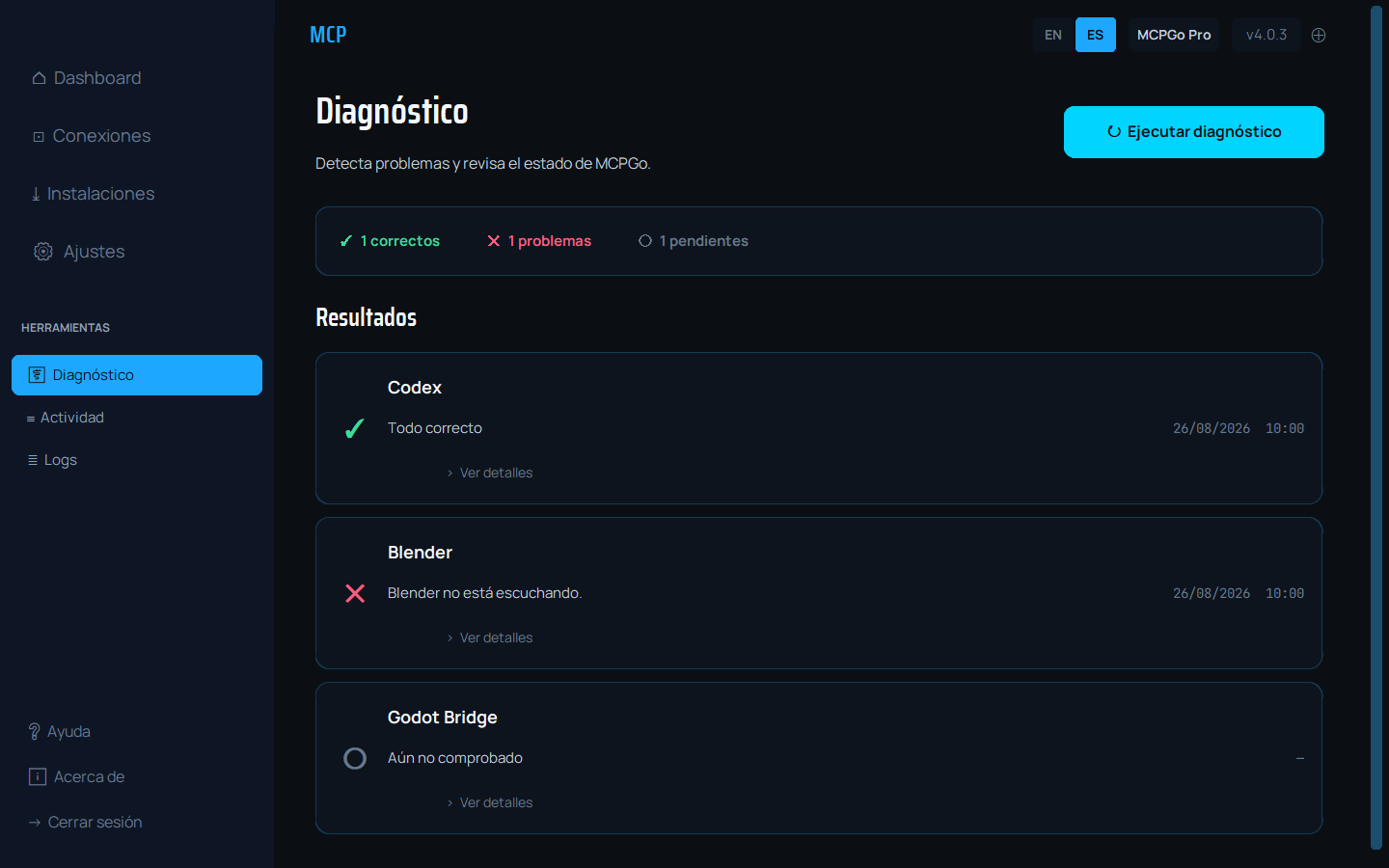
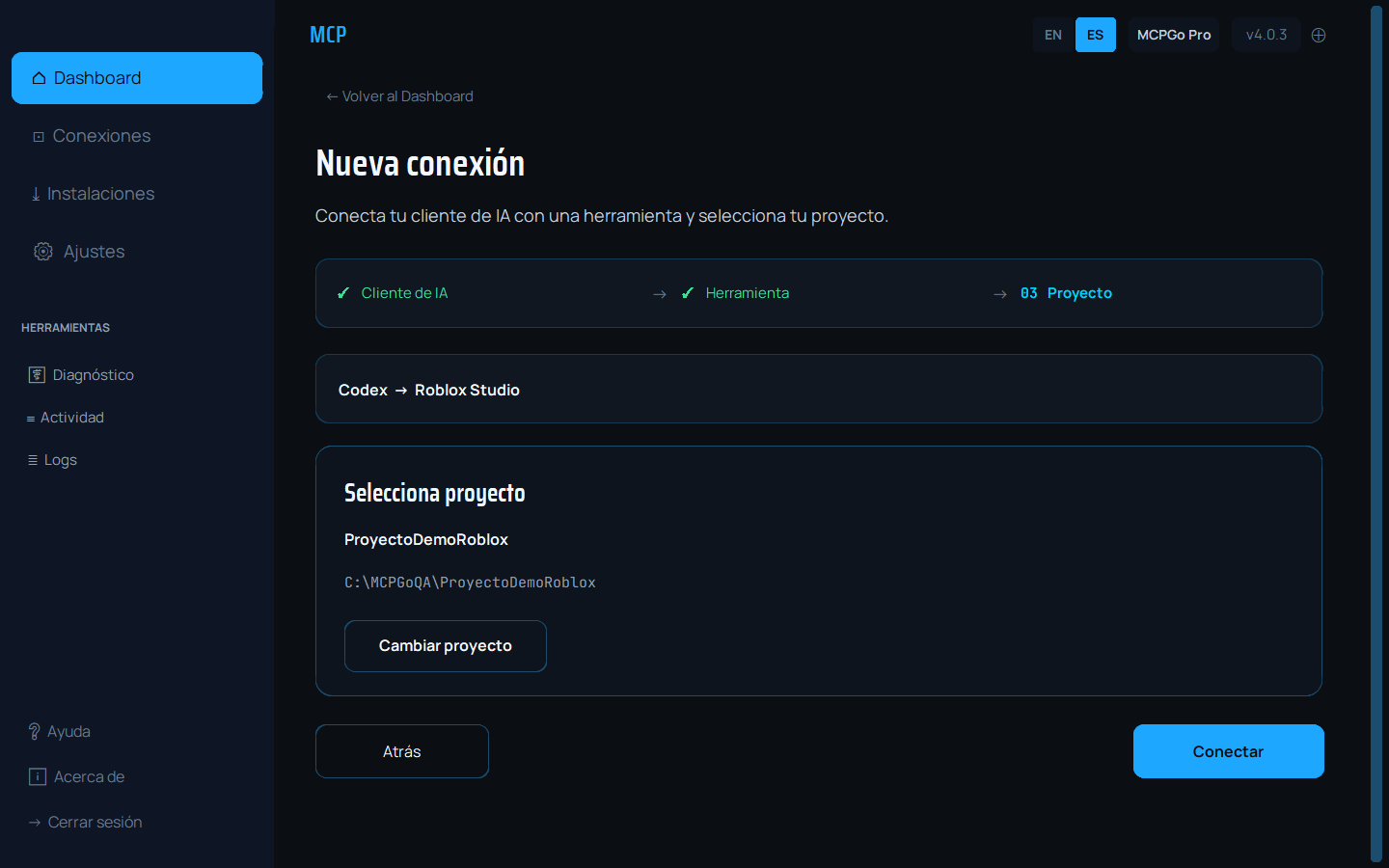
Follow the complete process, from choosing your AI client to confirming that the connection is ready.
PRODUCT TOUR
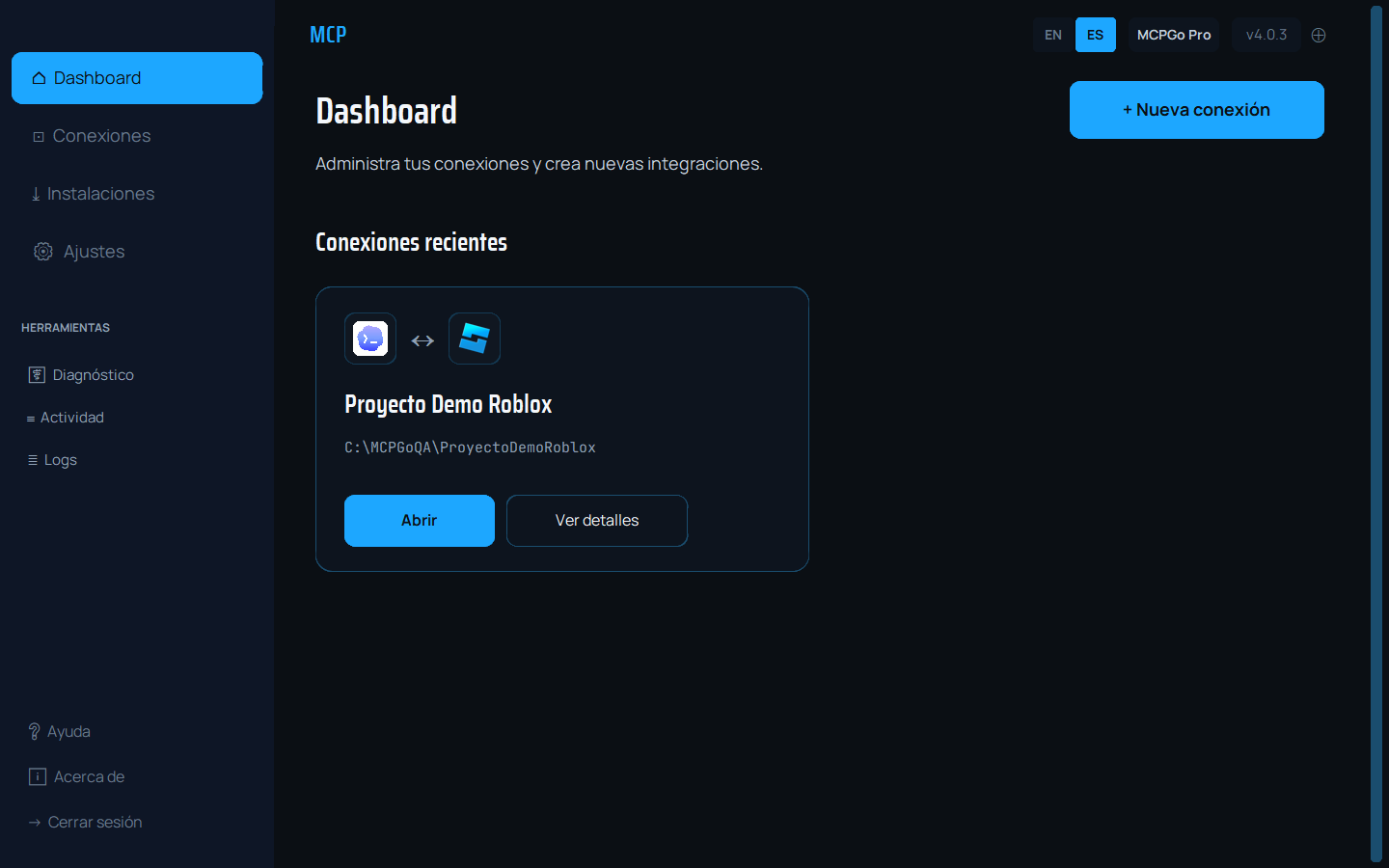
Explore MCPGo’s main features and open any screenshot for a closer look.
The interface and features shown are available in MCPGo 4.0.3 for Windows and Linux.
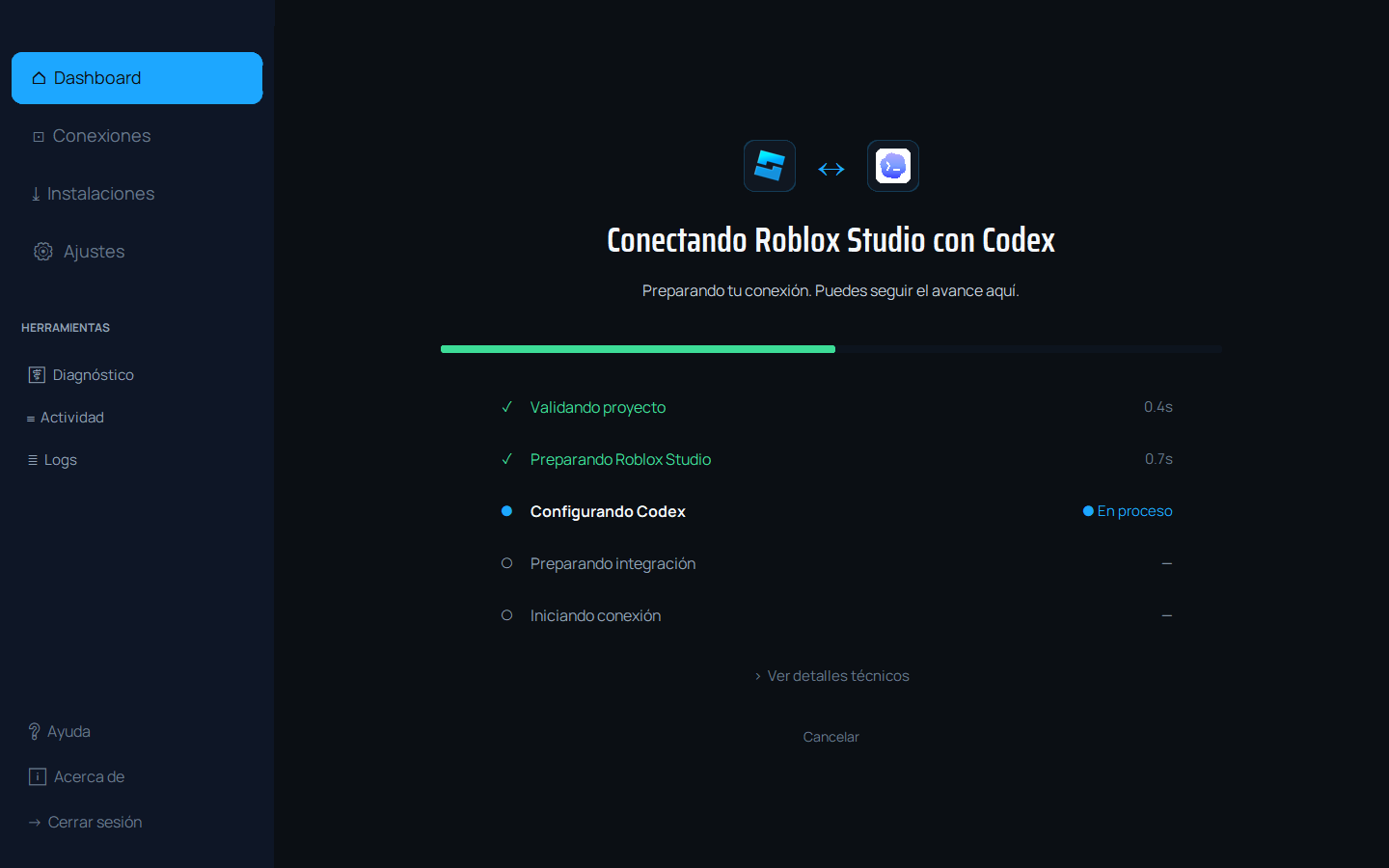
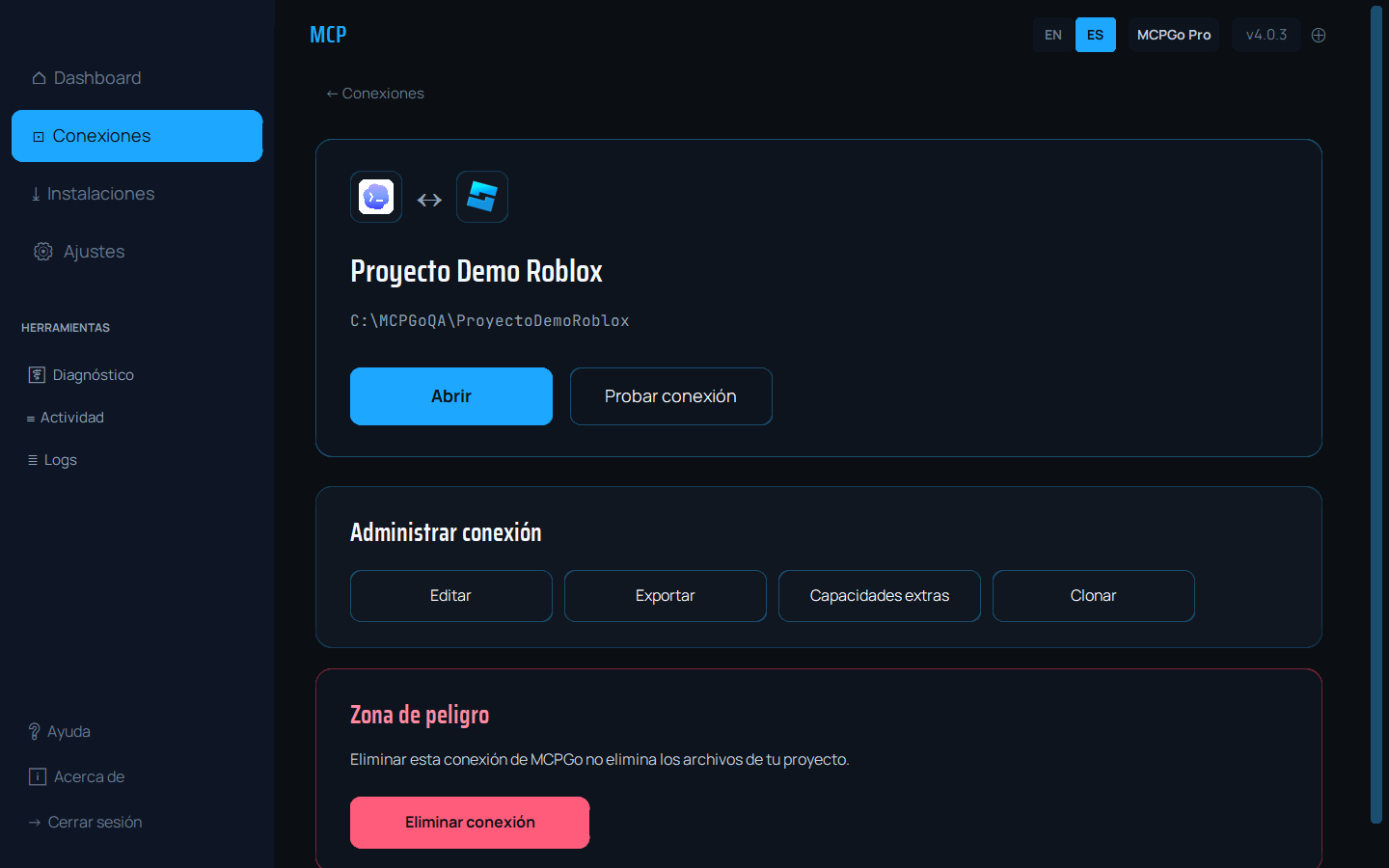
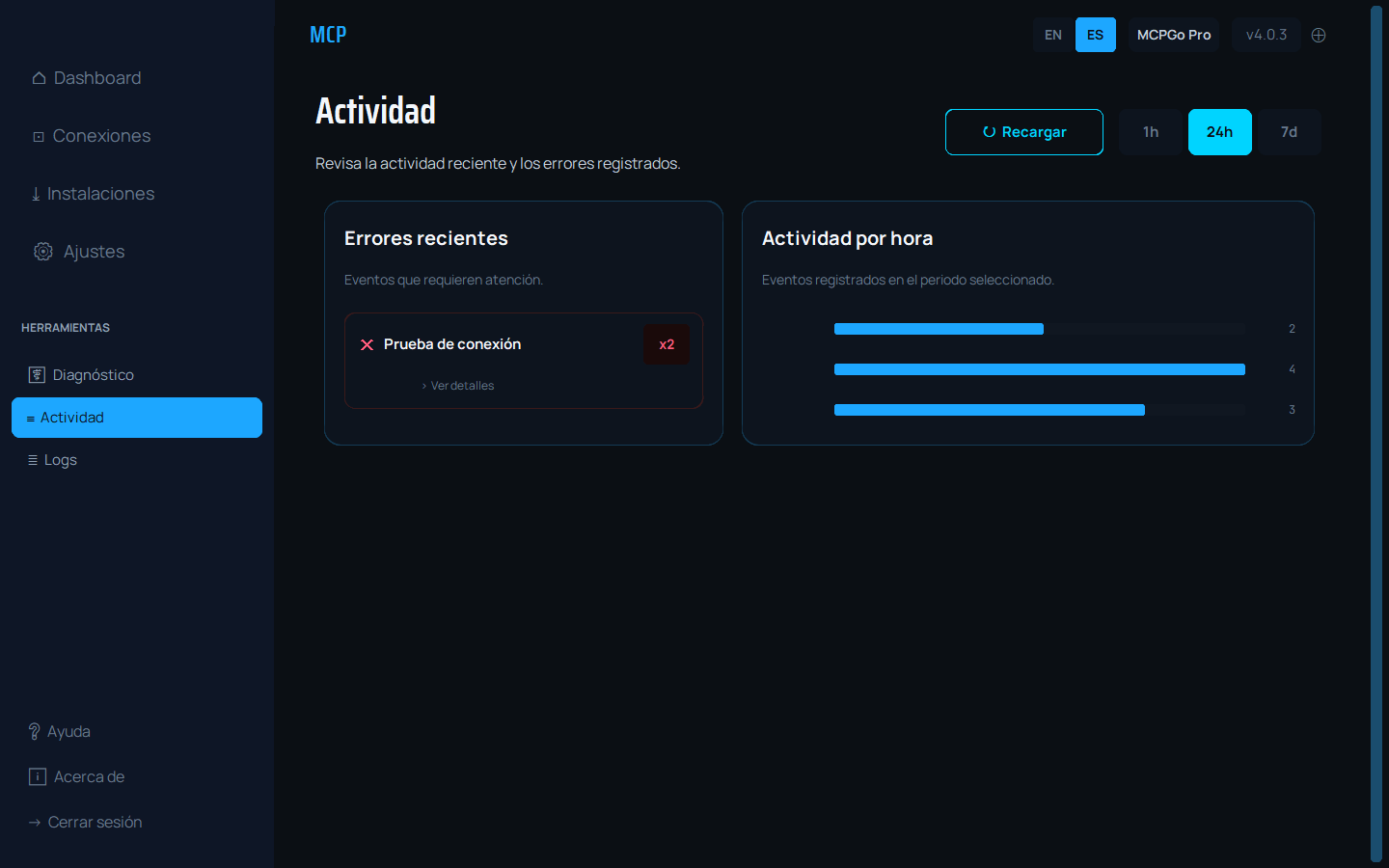
PRIVACY · SECURITY
MCPGo works locally with your creative tools. Diagnostics are sanitized and personal paths are not exposed in the view.
A11Y
01 · 02 · 03
Do not run MCPGo directly from inside the ZIP or TAR.GZ. Extract the complete package first to preserve the included runtime.
FAQ
No. MCPGo also recognizes the certified official Codex extension.
Yes, the official Codex extension for VS Code and VS Code Insiders is certified.
No. Node 22.23.2 is included and verified in both packages.
It means a separate connection check completed; finding an installation alone does not claim this state.
Use safe manual selection for a certified executable and review the sanitized diagnostics.
MCPGo 4.0.3 has separately signed x64 packages for Windows and Linux.
Verify the signed external release manifest, then compare the package SHA-256 shown here.
Its tool workflow is local; sign-in, entitlement validation, downloads, and updates require a connection.
No. Install the creative tool you want to connect separately.
MCPGo checks signed release metadata; downloading an update still requires account access and a separately activated release.
Start today with MCPGo.
PROTECTED DOWNLOAD
Available for Windows x64 and Linux x64. Signed and verified package.
Protected download. Sign in to view your available downloads.
Sign in to view your available downloads.
Windows x64 · Signed and verified package
Verified · MCPGo-Windows-x64-v4.0.3.zip · 59.6 MB
MCPGo-Windows-x64-v4.0.3.zip59.6 MB7574315f2635bc12c1bab2c0c7ed3ae26c8d2bb5da8ff82e6f643c19ed9869127c6890e1d32d7753c72284301ff976326a7c65ccda4498e0904b6b14c27aeac7dad71f32e04f76d7b859c509486c2ddf94de045b204f0879294872fb62bba8aa4cdb30e6592d5e3dbe1c67e0a219601096858af49718fd9c5d170315cb54724945984c62146679ad87182a8d030b659893ed983fb1ed4aabaed5e3c5f0e4c15b0d0f5e39f9f3d9587bc19f73eab3c2c9c4903fd02d6dbf9c853dd81b3d95fad41141905bdecbcb1ae613096acf555607e532f9718a386b75eee1ccc016f62a8aCurrently unavailable
Signature verified
Get-FileHash .\MCPGo-Windows-x64-v4.0.3.zip -Algorithm SHA256Linux x64 · Signed and verified package
Verified · MCPGo-Linux-x64-v4.0.3.tar.gz · 72.8 MB
MCPGo-Linux-x64-v4.0.3.tar.gz72.8 MB43e10f435769525219ab9f9dc2c98e88a1aa20f63ae17a1a6ad3879d1ad73e78196b1809f961daa7b16c8a9ad5fce4dec3b854184f9900577dd7ede885de36c686de37ab125acdef305afbf667ce10f65035c838d23655669d480a66cd26f28f134af9b63906126184e19d571beb9764a12318cdc159465fe2a7542762b2ca89c6aad8f976140f8f1b0439545584c798a95906ac92d1edf519a923b4fbef03563517c2df0b2f8cd7f422b4b8450ef81c6889f08eb03e281d6de9079b15e6a32712070dc77f66652616bb7c2919925aa6c262d312409c7e93da6386507fd6181cCurrently unavailable
Signature verified
sha256sum MCPGo-Linux-x64-v4.0.3.tar.gzReview the script before running it. Access is authorized through the existing device flow.
curl -fsSLO https://blackcodestudios.com/assets/install-mcpgo.shless install-mcpgo.shbash install-mcpgo.shFirst download the protected package from your account. Then run these commands from the download directory.
tar -xzf MCPGo-Linux-x64-v4.0.3.tar.gz
chmod +x MCPGo/MCPGo
./MCPGo/MCPGoAvailable for Windows x64 and Linux x64. Signed and verified package.